The complete offline QR toolkit

QRForge Studio

Create 18 QR types, inspect suspicious codes, generate full batches, and export print-ready files without accounts, ads, or cloud uploads.

  • 100% offline
  • One-time purchase
  • No account
18guided QR types
Localsafety inspection
CSVbatch generation
PNG SVG PDFready to export

One app, the whole QR job

From first field to finished file.

QRForge replaces the pile of QR websites, scanner apps, batch scripts, and “is this link sketchy?” guesswork with one focused local toolkit.

Create

Build the right QR code without memorising payload syntax.

Choose from 18 guided types for websites, Wi-Fi, contacts, email, calendar events, maps, payments, social profiles, app links, and custom data. QRForge shows the fields that matter for the type you picked.

Error correction, quiet-zone, resolution, and plain-language readiness controls are included.
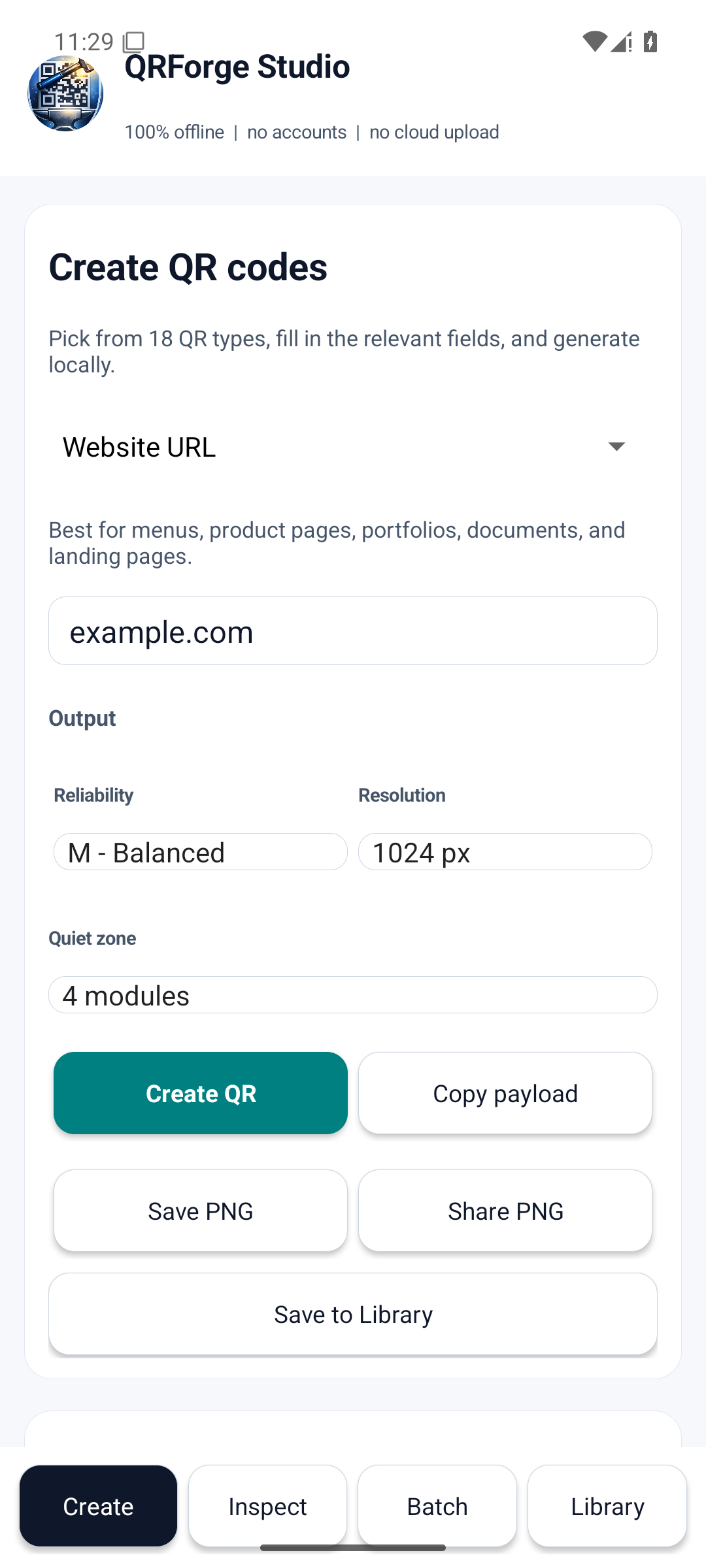
QRForge Studio Create screen showing guided QR fields and a generated code

Inspect

Know what a QR code contains before you trust it.

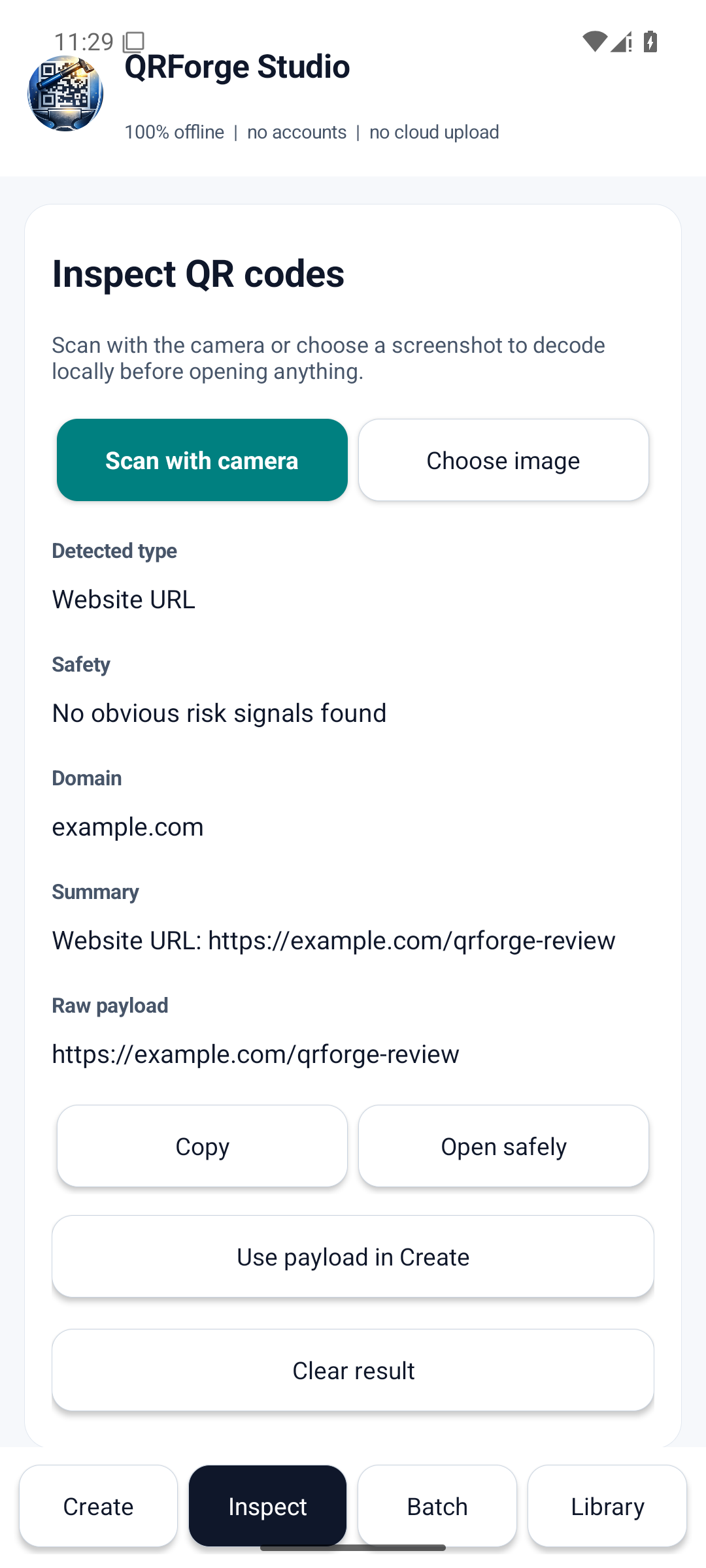
Scan with the camera, choose an image, or inspect a screenshot. Review the detected type, destination domain, decoded summary, raw payload, and local safety checks before opening a link.

Checks cover insecure links, shorteners, internationalised domains, and numeric addresses.

QRForge Studio Inspect screen showing decoded content and local safety checks

Batch

Turn a CSV into a complete set of named QR files.

Paste or load rows, validate them locally, preview the result, and export the full batch as named PNG files in one shareable ZIP.

Made for labels, menus, events, inventory, classroom material, and internal IT work.

QRForge Studio Batch screen showing CSV validation and export controls

Reuse

Keep useful work close without creating an account.

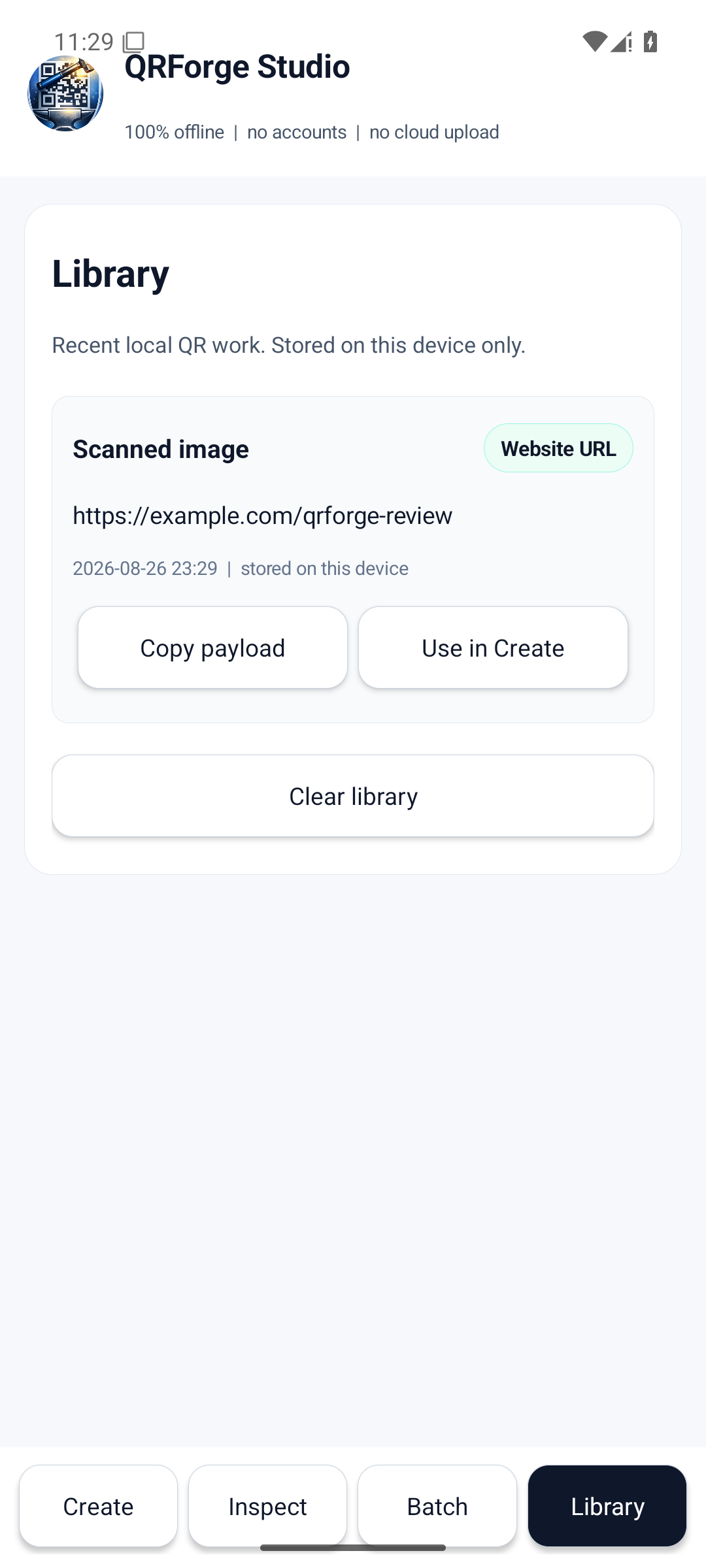
Generated, scanned, and exported payloads stay in a local library for quick copying, inspection, and reuse in Create.

QRForge has no history-sync service. Android system backups follow your device settings.

QRForge Studio local Library screen showing recent QR activity

Private by design

Your QR content is not our business.

Creation, decoding, inspection, and history run on your device. QRForge has no account system, no cloud upload pipeline, no ads, and no telemetry.

  • QRForge does not upload your QR content. Android backups follow your device settings.
  • No recurring subscription and no attention traps.
  • Camera access is used only when you choose live scanning.

Read the privacy notice

Built for useful work

A QR tool for people who need the result, not the ritual.

Small business

Make menu, booking, payment, product, and Wi-Fi codes without feeding customer data to a website.

Print and events

Export clean, high-resolution artwork and generate entire labelled batches from CSV.

IT and operations

Inspect unknown codes, build Wi-Fi payloads, and keep repeatable QR work local.

Teachers and organisers

Create classroom, resource, contact, and calendar codes quickly from guided fields.

Questions, answered

Before you install.

Does QRForge need the internet?

No. QR creation, image decoding, camera scanning, safety inspection, batch work, and the local library operate offline.

What can I export?

Individual QR codes can be saved in PNG, SVG, and print-ready PDF formats. Batch jobs export named PNG files in a ZIP.

Does the safety check guarantee a link is safe?

No automated check can promise that. QRForge surfaces useful warning signs and the exact destination so you can make a better decision before opening it.

Is there a subscription?

No. QRForge Studio is a one-time paid app with no ads, accounts, or subscription.

QR work, handled

Create it. Check it. Ship it.

Keep the full QR workflow on your device in one fast, focused app.

Get QRForge Studio on Google Play